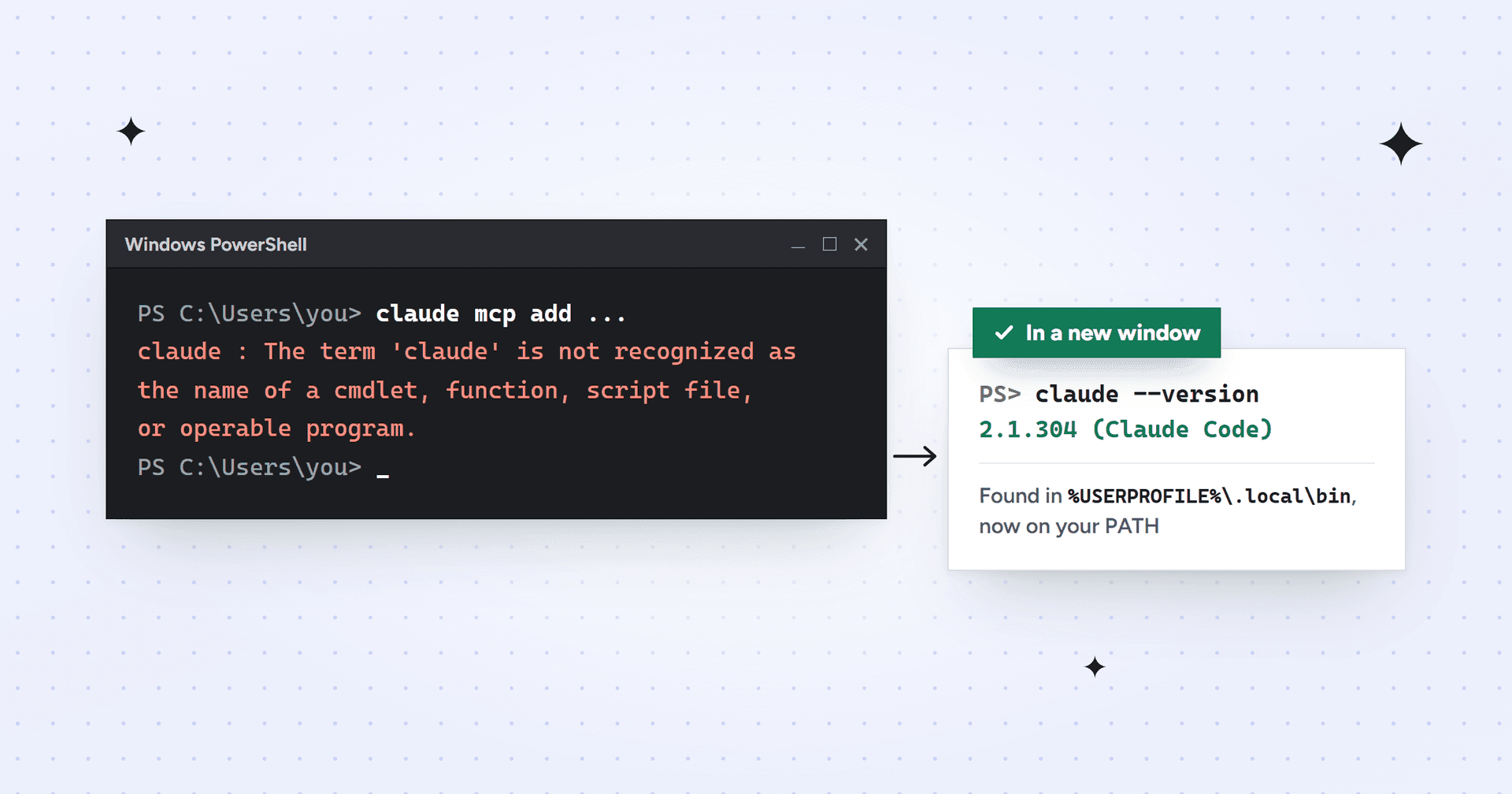
"'claude' is not recognized as the name of a cmdlet, function, script file, or operable program" is PowerShell telling you it can't find the Claude Code program. Install Claude Code with Anthropic's Windows installer, add %USERPROFILE%\.local\bin to your user PATH if the installer says it's missing, then close PowerShell and open a new window. If you only use the Claude desktop app, that's the cause: the app never puts a claude command in your terminal.
This is the exact error we got in October 2026 while connecting Claude to a client's WordPress site. The setup steps said to run claude mcp add in a terminal. We'd used Claude Code inside the Claude desktop app for weeks, so we assumed the command existed. PowerShell disagreed:
claude : The term 'claude' is not recognized as the name of a cmdlet, function, script file, or operable program. Check the spelling of the name, or if a path was included, verify that the path is correct and try again.Windows PowerShell, October 2026
The desktop app had Claude Code, just not anywhere PowerShell looks. That's one of several causes, and the table below matches each message to its fix.
What "'claude' is not recognized as the name of a cmdlet" means
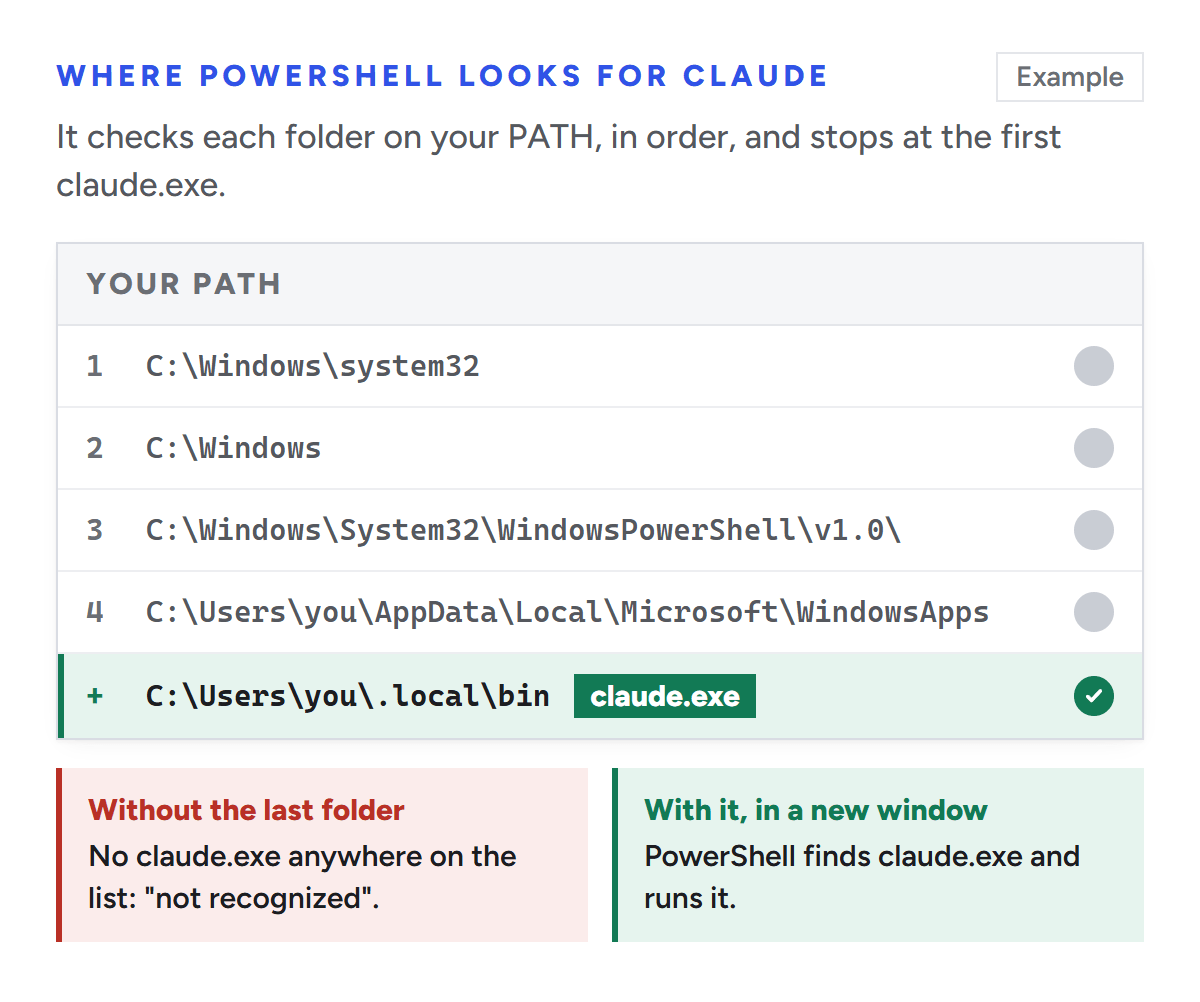
When you type a command, Windows searches a list of folders called PATH. Anthropic's native installer puts Claude Code at %USERPROFILE%\.local\bin\claude.exe and doesn't add that folder to PATH. So the error means one of two things: the program isn't there, or Windows isn't looking where it is. Command Prompt reports the same problem as "'claude' is not recognized as an internal or external command, operable program or batch file."
PowerShell only runs claude if a folder on your PATH holds claude.exe.
What you see
What it means
Fix
PowerShell: The term 'claude' is not recognized as the name of a cmdlet
Claude Code isn't installed, or its folder isn't on PATH
curl -fsSL https://claude.ai/install.cmd -o install.cmd && install.cmd && del install.cmd
Use PowerShell or Command Prompt, not Git Bash: the Mac and Linux installer stops there with "Windows is not supported by this script." Then read the end of the output. If it shows Setup notes saying the installation "is not in your PATH", do the next step; if not, skip to checking it works.
WinGet (winget install Anthropic.ClaudeCode) works too but doesn't update automatically. The npm package still installs, but Anthropic's README says installation via npm is deprecated.
Add the folder to your PATH
First check the program is there, because adding a folder to PATH won't help if the install failed. In PowerShell:
False means there's nothing to find, so install it first. True means the install worked and only PATH needs fixing. These two lines, from Anthropic's troubleshooting page, add the folder to your user PATH without touching the system-wide one:
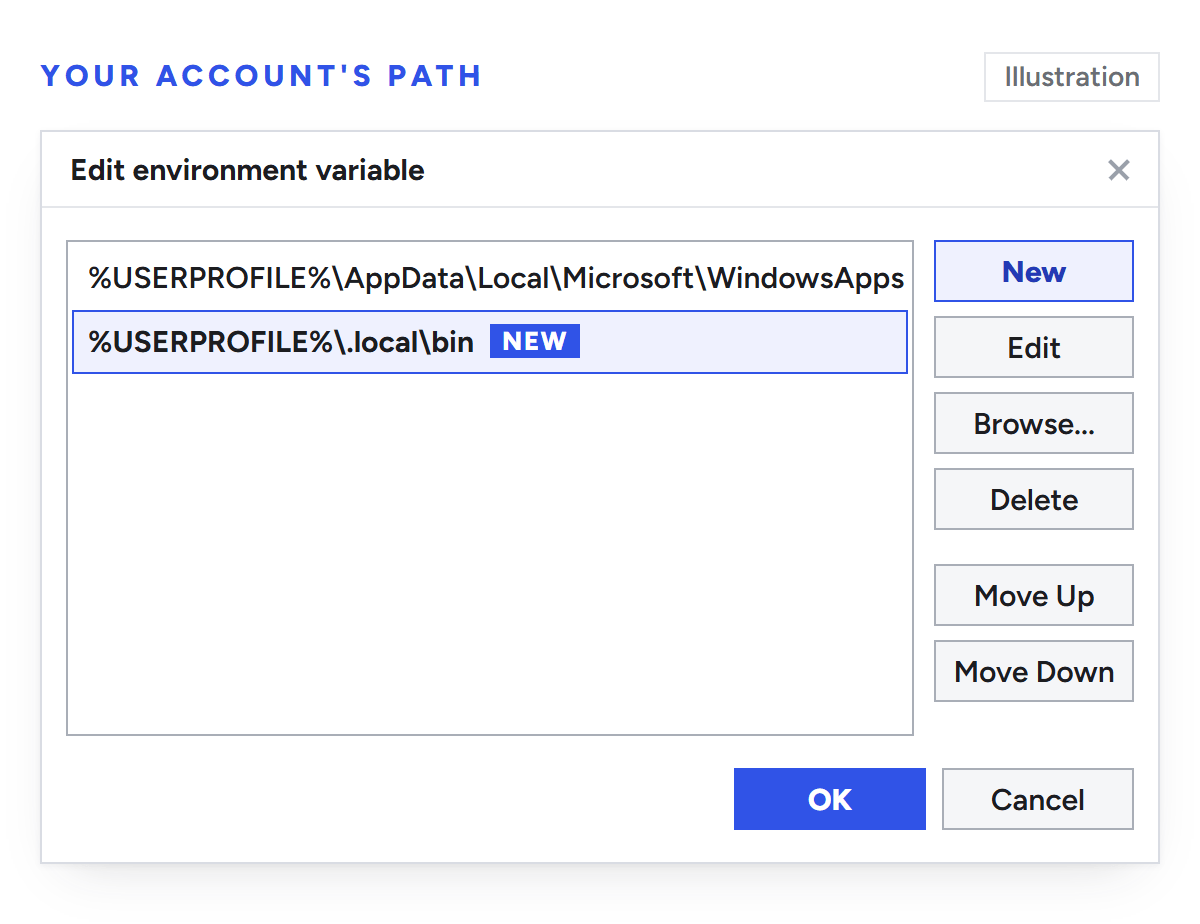
Close PowerShell and open it again afterwards. In Command Prompt, use the Windows settings instead: search the Start menu for "environment variables", open Edit environment variables for your account, select Path under your user variables, click Edit, then New, and enter %USERPROFILE%\.local\bin. Click OK in each window.
Illustration: add %USERPROFILE%\.local\bin with New, then click OK in each window.
Open a new window and check it works
A window keeps the PATH it started with, and a terminal inside VS Code or another editor takes its PATH from the editor. Open a new window, or quit and reopen the editor, then run claude --version. A version number means it worked.
To see which copy runs, use where.exe claude. If more than one shows up, such as an old npm install next to the native one, keep one and remove the others. For a full check, claude doctor prints read-only diagnostics; if claude still isn't found, run it by its full path: & "$env:USERPROFILE\.local\bin\claude.exe" doctor.
Fix two Windows-only problems
"Not recognized" right after an update
To update itself, Claude Code renames claude.exe to a backup, then moves the new version into place. If that move fails, the folder can be left with only the backup, a file whose name starts with claude.exe.old.. This line from Anthropic's docs renames the newest backup back:
If there's no backup file, run the installer again.
Typing claude opens the desktop app
Older versions of Claude Desktop registered a Claude.exe in Windows' WindowsApps folder, which takes priority over the CLI. Update Claude Desktop to fix it.
Use the Claude desktop app? You may not need the command
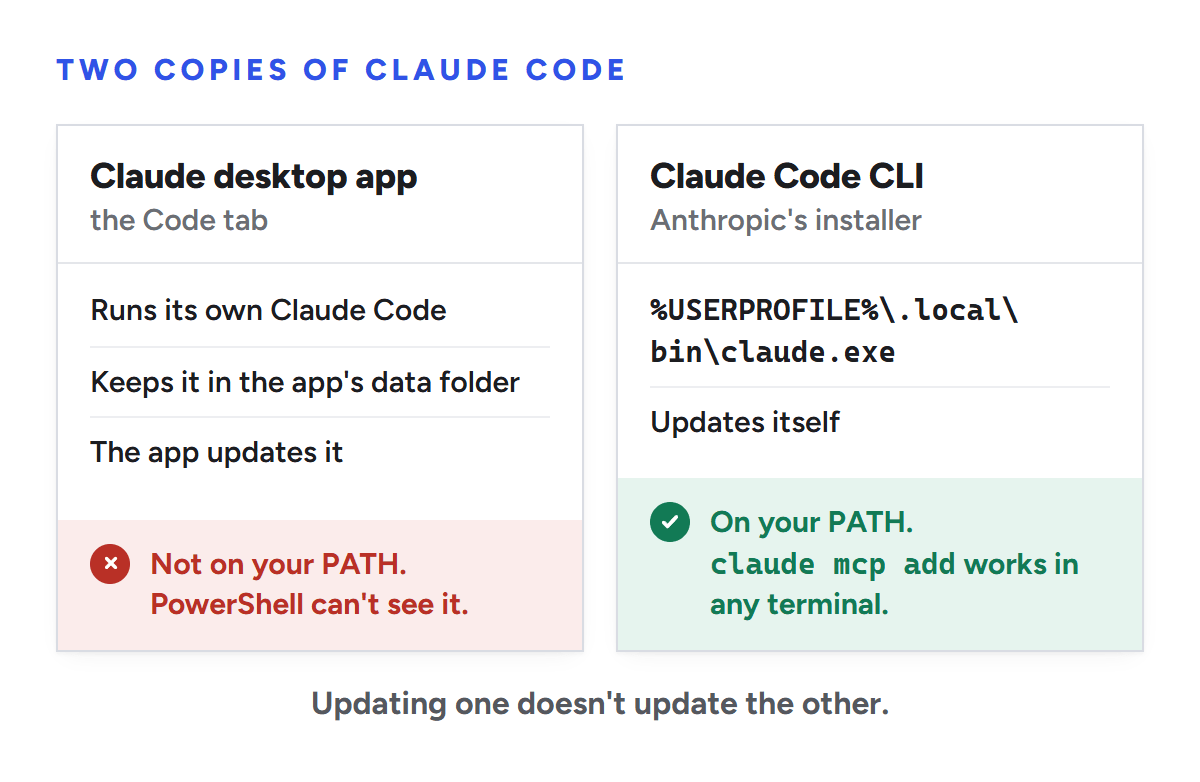
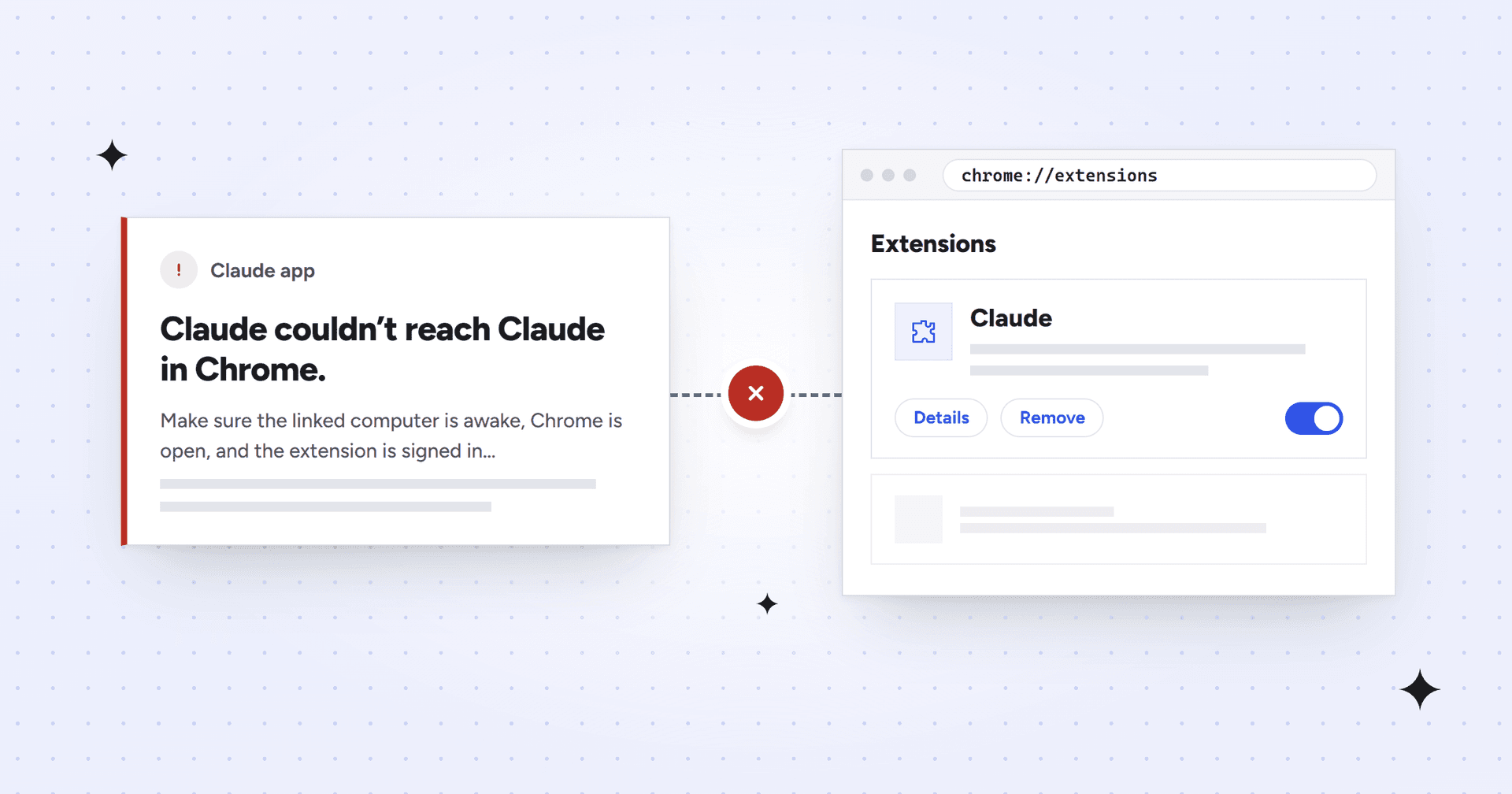
The desktop app's Code tab runs its own copy of Claude Code, with its own version number, and updates it separately from any claude command you install. Anthropic's quickstart says to install the CLI separately if you want claude in a terminal. On our Windows machine, the app kept two versions in numbered folders inside its data folder, and where.exe claude found neither.
The desktop app's copy of Claude Code never adds a claude command to your terminal.
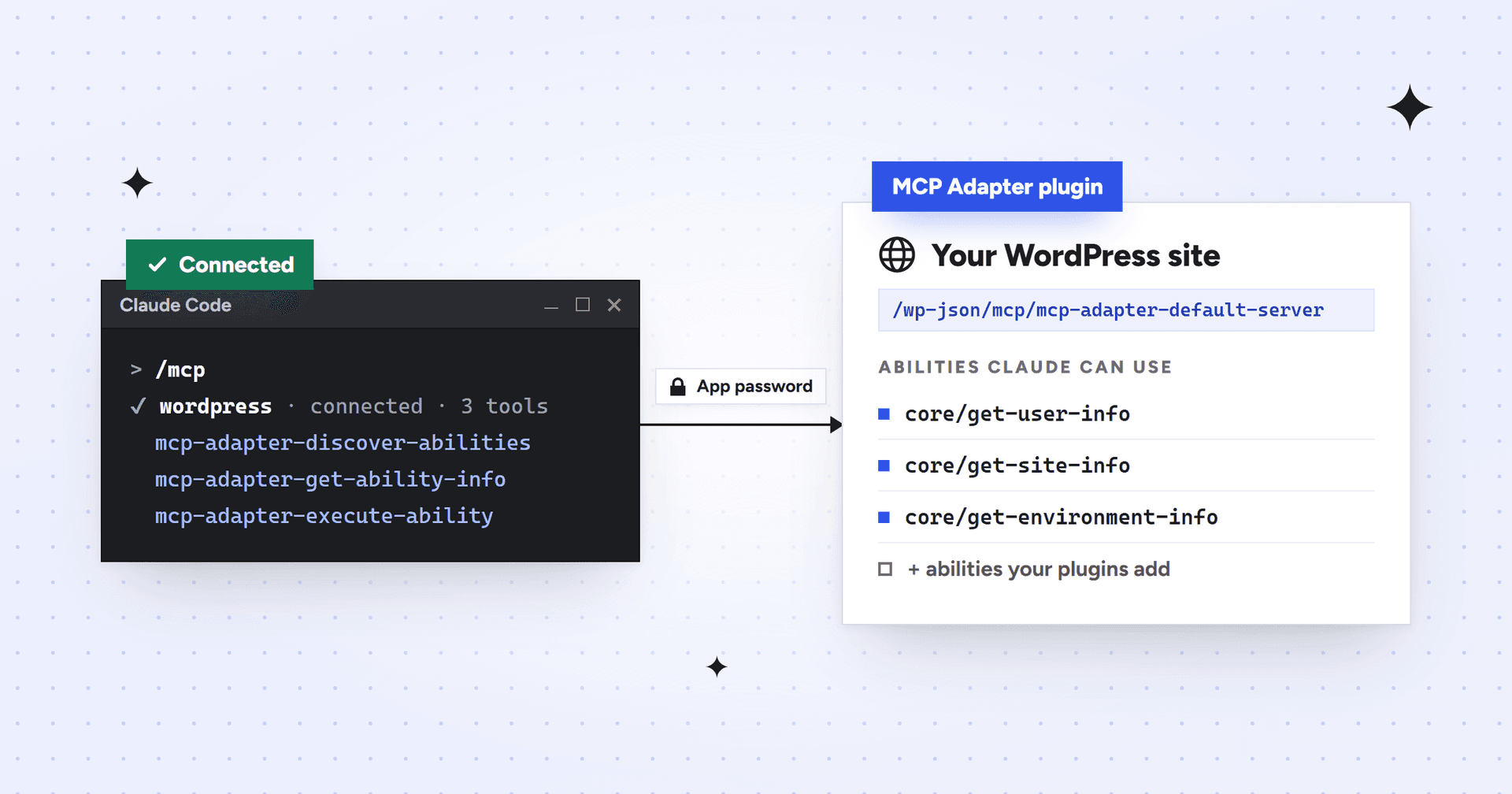
If you only need the command to add an MCP server, which is what setup guides usually want claude mcp add for, there are two ways around it:
Add it as a connector. In a Code session, click + next to the prompt box and choose Add connectors. Connectors are MCP servers with a setup screen.
Write it into a settings file. For servers that aren't in the directory, Anthropic's docs point desktop users to the same settings files the CLI uses. Create .mcp.json in your project folder in this format, start a new session and approve the server when asked.
That example connects a WordPress site in the format Automattic's documentation gives for Claude Code; our WordPress MCP guide shows how to make the base64 line. Keep passwords out of files you share, because .mcp.json is meant to travel with a project. For a server only you use, the same entry can go in the top-level mcpServers section of C:\Users\you\.claude.json, where the CLI's user scope saves servers. That's where we put ours. Back up the file first.
If you installed Claude Code with npm
Older guides use npm install -g @anthropic-ai/claude-code. It still works on Node.js 22 or later, but it puts claude in npm's own folder, so it only works if that folder is on your PATH. To switch, run npm uninstall -g @anthropic-ai/claude-code, then the installer above.
If PowerShell refuses to run claude because running scripts is disabled, that's npm's wrapper script being blocked. Anthropic's fix is Set-ExecutionPolicy -ExecutionPolicy RemoteSigned -Scope CurrentUser, or typing claude.cmd instead of claude.
Seeing "claude: command not found" on a Mac instead?
It's the same problem. On a Mac the installer puts Claude Code at ~/.local/bin/claude, and zsh reports zsh: command not found: claude when that folder isn't on PATH. Install with curl -fsSL https://claude.ai/install.sh | bash (without sudo, which the script refuses), then add the folder for zsh, the default shell:
If you're setting Claude up to make site-wide SEO changes and would rather hand the work off, Mission SEO's technical SEO team makes most fixes inside your stack for you.
Frequently asked questions
How do I add Claude Code to my PATH on Windows?
In PowerShell, run the two [Environment]::SetEnvironmentVariable lines above to add %USERPROFILE%\.local\bin to your user PATH, then close and reopen PowerShell. In Command Prompt, add the same folder to Path under Edit environment variables for your account. Run claude --version in a new window; a version number means it worked.
Why does claude work in one window but not another?
Each window reads PATH when it opens, so a PowerShell or Command Prompt window that was open before you changed PATH keeps the old list. Terminals inside editors such as VS Code take their PATH from the editor, so restart the whole editor rather than just the terminal panel.
Do I need Node.js to install Claude Code?
Not for the native installer, which Anthropic recommends and which runs without Node.js. You need Node.js 22 or later only for the npm package. Some MCP servers still need Node.js because they start with npx, so install it if a setup guide's command begins with npx.
Does the Claude desktop app include Claude Code?
Yes. The desktop app's Code tab runs its own copy of Claude Code, which the app downloads and keeps updated. It doesn't add a claude command to PowerShell or Command Prompt, so commands such as claude mcp add need a separate install of the CLI. Updating one copy doesn't update the other.
Sources
We checked every source below on October 20, 2026, against Claude Code 2.1.304 and Anthropic's current documentation. Claude Code updates often, so if a message on your screen differs, Anthropic's troubleshooting page has the latest wording.
We’re a B2B SEO and AEO agency. Book a free 30-minute call with a senior consultant: we look at your site before we talk, so you leave knowing what to fix first.


 best project management software