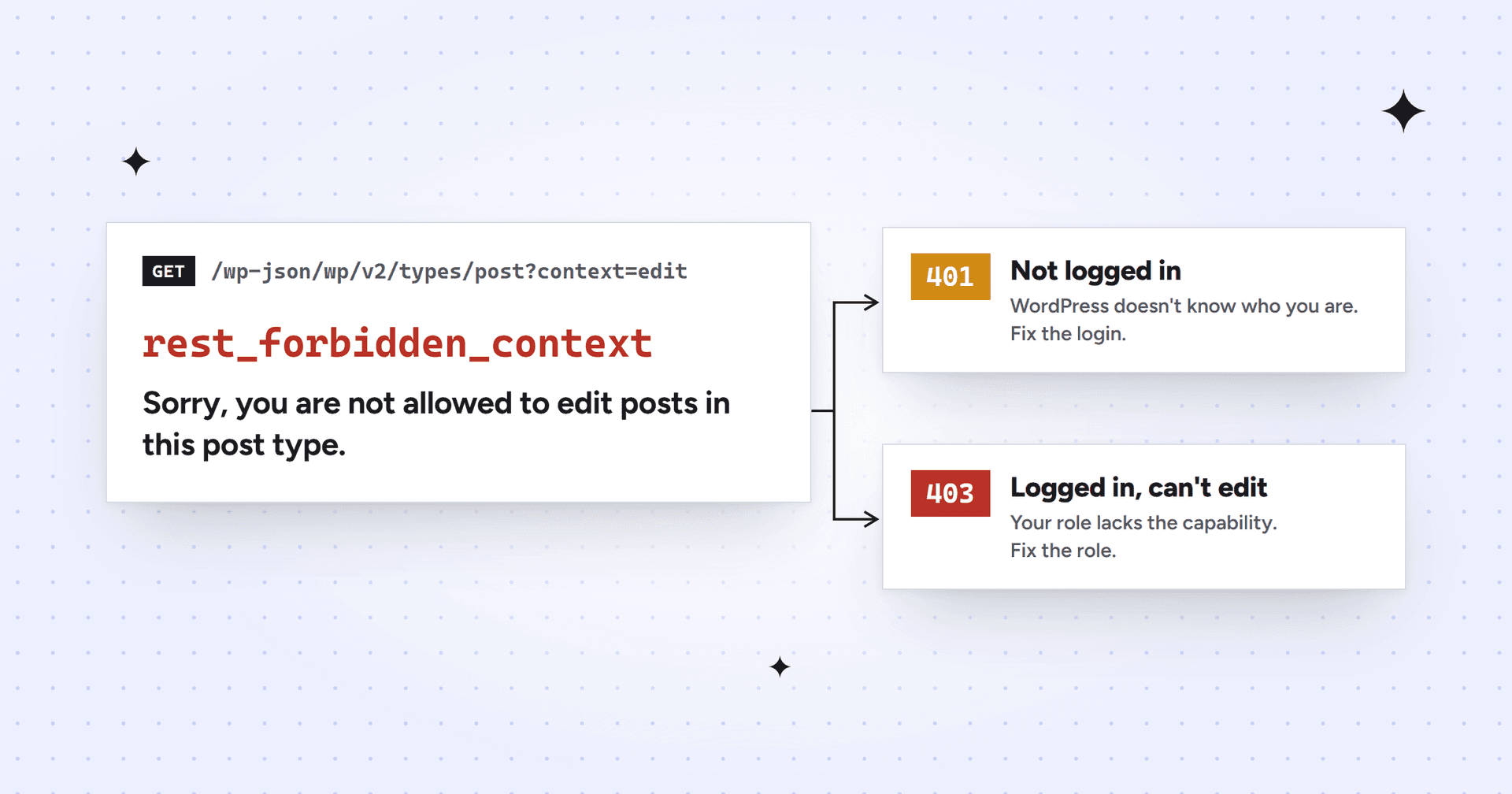
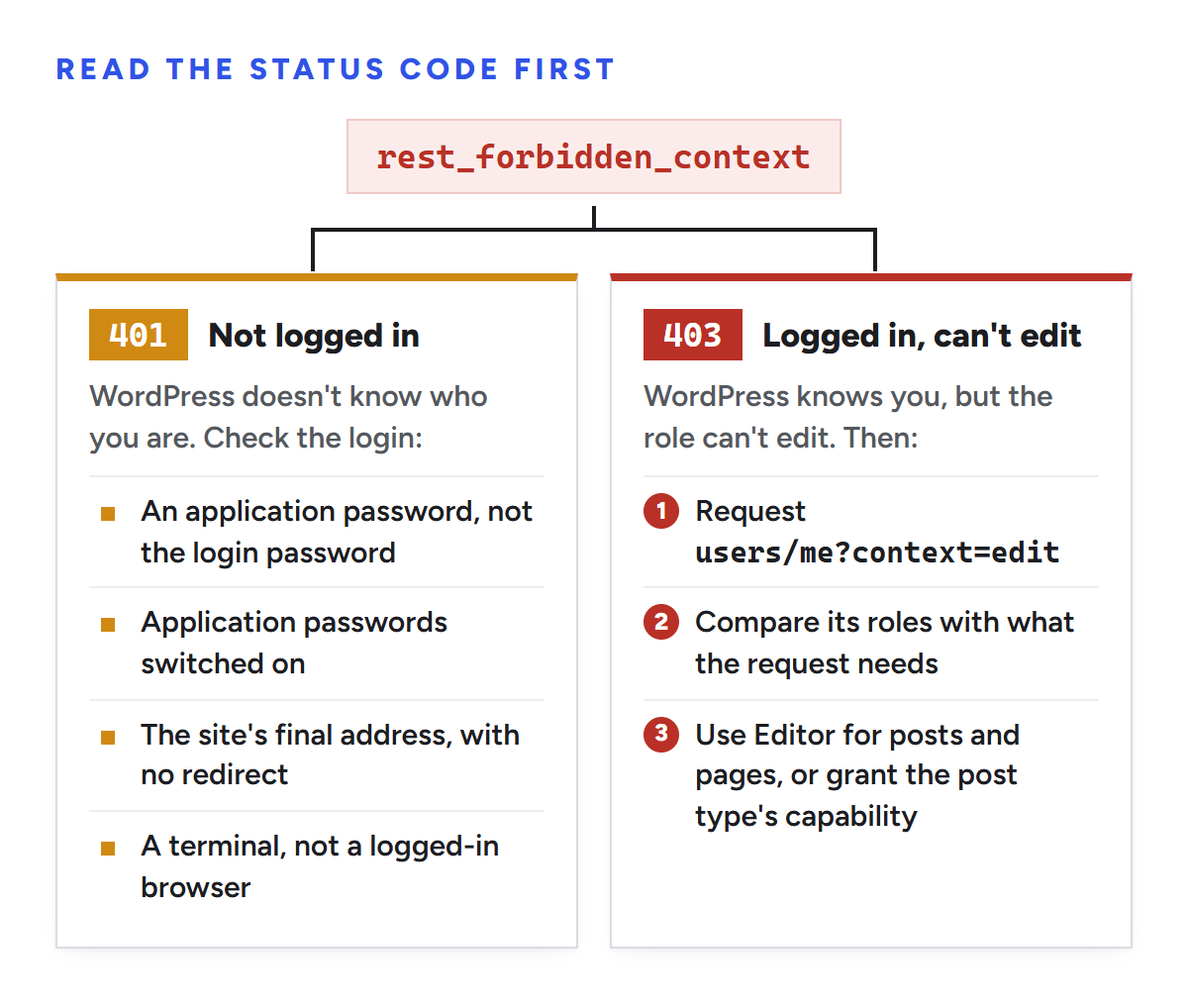
rest_forbidden_context is the error WordPress returns when a REST API request asks for context=edit and the current user isn't allowed to edit that content. The message varies by endpoint, the most common being "Sorry, you are not allowed to edit posts in this post type." Check the status code first. A 401 means the request isn't logged in, so fix the login. A 403 means WordPress knows who you are and the account's role can't edit that type of content, so fix the role or the post type's capabilities.
We hit the 401 version in October 2026 while connecting Claude to a B2B SaaS client's WordPress site. To test our login, we requested /wp-json/wp/v2/types/post?context=edit, which only an account that can edit posts may read. It came back 401 with "Sorry, you are not allowed to edit posts in this post type." We told the site's host, WP Engine, that this proved the server was dropping our login. It didn't. The 401 only meant WordPress hadn't accepted the login, and the cause turned out to be the password we were using.
What context=edit asks for
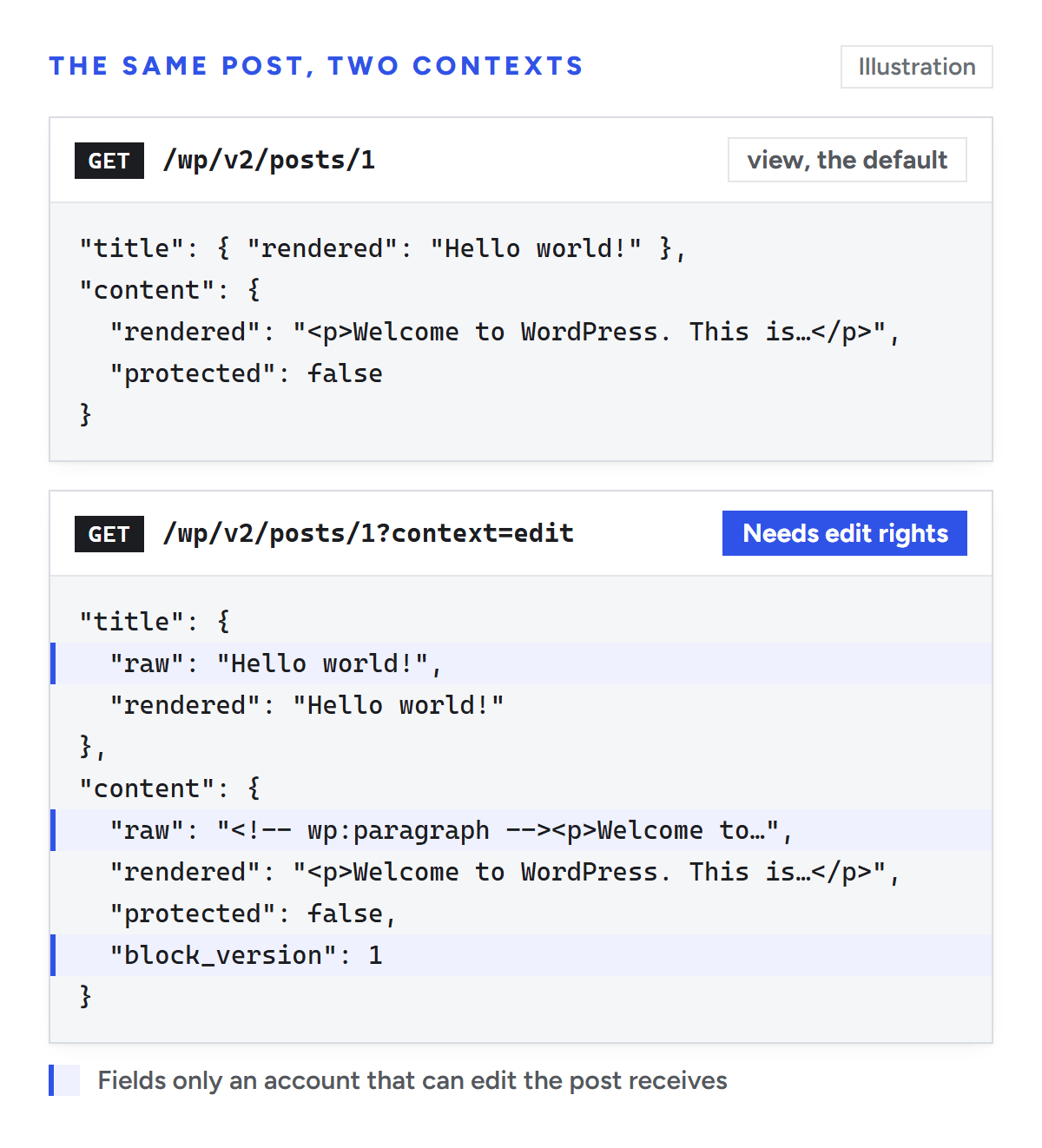
Most REST API endpoints take a context parameter of view, embed or edit, which decides which fields come back. view is the default and returns what a visitor could see. edit adds raw, unrendered fields, such as a post's content before WordPress formats it, so WordPress only allows it for users who could edit that content.
Illustration: the edit context adds raw fields, which is why WordPress checks edit rights first.
You don't have to type context=edit yourself to see this error. The block editor requests nearly everything with context=edit, and so do apps and AI tools that read a post before changing it. That's why it can show up inside the editor for accounts with unusual roles.
rest_forbidden_context 401 or 403: read the status code first
Every rest_forbidden_context check sets its status with the same function, which returns 401 if no one is logged in and 403 if someone is. The error code and message stay the same, so the status number is the only clue to which problem you have.
Status
What it means
Where to look
401
WordPress treated the request as anonymous. Your login wasn't sent, wasn't accepted, or was dropped on the way
The error code is the same either way. The status code tells you which fix you need.
Every rest_forbidden_context message and what it checks
WordPress core returns this error from several endpoints, each with its own message and its own capability check. We read the controllers in WordPress's source to build this table:
Message
Typical request
Capability needed
Sorry, you are not allowed to edit posts in this post type.
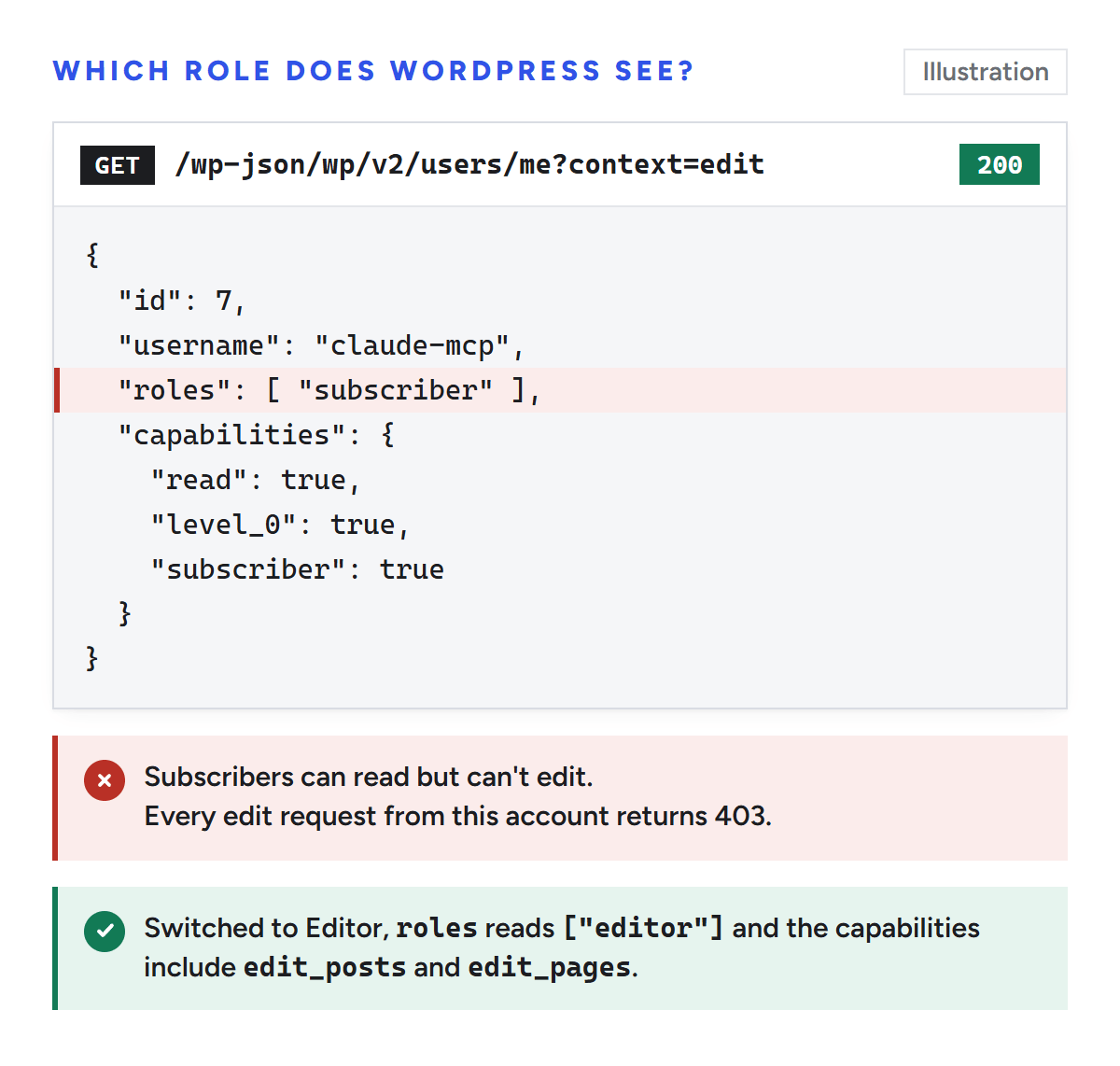
A 403 means the login worked, so ask WordPress which account and role it matched. This request returns your own user record, including the roles and capabilities fields that only appear in the edit context:
This would have been our second error. When our client's login finally worked, WordPress reported the account as a Subscriber, which can read but not edit, so every edit request would have come back 403. We changed the role to Editor before going further.
Illustration: users/me?context=edit shows the role and capabilities WordPress matched to your login.
Custom post types and role plugins
If the role looks right but you still get a 403, the post type may use its own capabilities. A custom post type registered with its own capability_type, such as product, checks edit_products rather than edit_posts (register_post_type). Built-in roles don't have those custom capabilities until a plugin or code grants them.
Role editor plugins cause the same symptom from the other side, by removing a capability such as edit_posts from a role. In both cases the fix is to give the role the capability the table above names, or to use an account whose role already has it.
Fix the 401: the request isn't logged in
A 401 rest_forbidden_context has nothing to do with roles. WordPress never matched the request to an account, exactly like a 401 rest_not_logged_in from /users/me. The causes and the five-minute test are in our rest_not_logged_in guide; the short list:
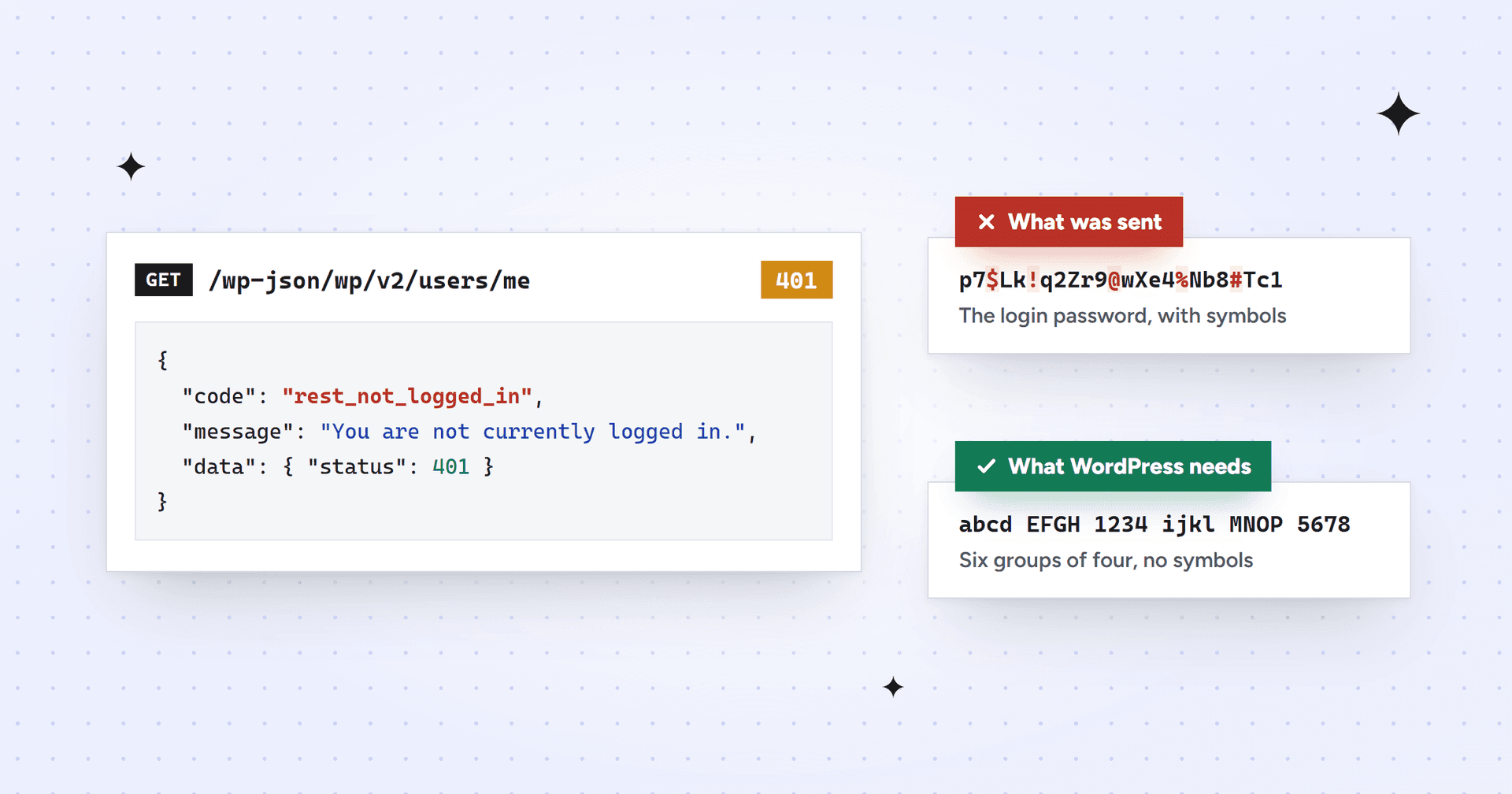
Make sure you're sending an application password (six groups of four letters and numbers), not the account's login password. This was our cause.
Check that application passwords are switched on. Wordfence turns them off by default.
Use the site's final address, because a redirect from example.com to www.example.com can drop the login.
Test from a terminal rather than a browser where you're logged in to WordPress.
Check Tools > Site Health for "The authorization header is missing".
Don't read a 401 rest_forbidden_context after a deliberately wrong password as proof that the header is missing. On a standard site, WordPress answers a wrong password and no password the same way. That assumption is what sent us to WP Engine with a problem that didn't exist.
Don't ask for the edit context unless you're editing
If a script or tool only needs published content, leave context out or set it to view. The posts controller only runs this check when the context is edit, so a read-only request for published posts never triggers it. Ask for context=edit only when you need raw content to change it, and make sure the account doing the editing has the role for it.
For a 403, run the users/me?context=edit request above and compare the role with the tables.
Setting up Claude with WordPress? Our WordPress MCP plugin guide explains which role to give the account and why.
If you'd rather hand the site-wide changes to someone else, Mission SEO's technical SEO team makes most fixes inside your stack, from internal links to structured data.
Frequently asked questions
What does rest_forbidden_context mean?
It means a WordPress REST API request asked for context=edit, which returns raw, editable fields, and the current user isn't allowed to edit that content. With a 401 status the request wasn't logged in at all. With a 403 it was logged in, but the account's role lacks the capability, such as edit_posts or edit_pages.
Why do I get rest_forbidden_context with a 401 and not a 403?
WordPress uses 401 when it doesn't know who you are and 403 when it does. A 401 means your login wasn't sent or wasn't accepted: often the wrong kind of password, application passwords switched off, or a redirect dropping the login. Fix the login first; the role only matters once you get a 403.
Which role do I need to avoid rest_forbidden_context?
For posts, any role with edit_posts, which means Contributor and up, though Contributors and Authors can only open their own posts. For pages you need Editor or Administrator. Custom post types may use their own capabilities, so check what the post type requires before changing roles.
Why does the block editor say "Sorry, you are not allowed to edit posts in this post type"?
The block editor loads posts and post types through the REST API with context=edit. If a role plugin has removed the post type's edit capability from the account's role, or a custom post type uses capabilities the role lacks, the editor can show this message. Restore the capability or switch to an account that has it.
Sources
We checked every source below on October 20, 2026, against WordPress 7.1.3 and the current WordPress and Gutenberg development code.
We’re a B2B SEO and AEO agency. Book a free 30-minute call with a senior consultant: we look at your site before we talk, so you leave knowing what to fix first.


 best project management software