How to improve agentic browsing scores for Google Lighthouse
By Mission SEO staff
· 8 min read
To improve agentic browsing scores in Google Lighthouse, fix the audits Lighthouse actually counts: give every button, link and form field an accessible name, keep Cumulative Layout Shift (CLS) at 0.1 or lower, and make /llms.txt return a valid file or a plain 404. Add WebMCP only to forms agents should complete, and gate releases on the pass ratio the report shows, not the JSON category score.
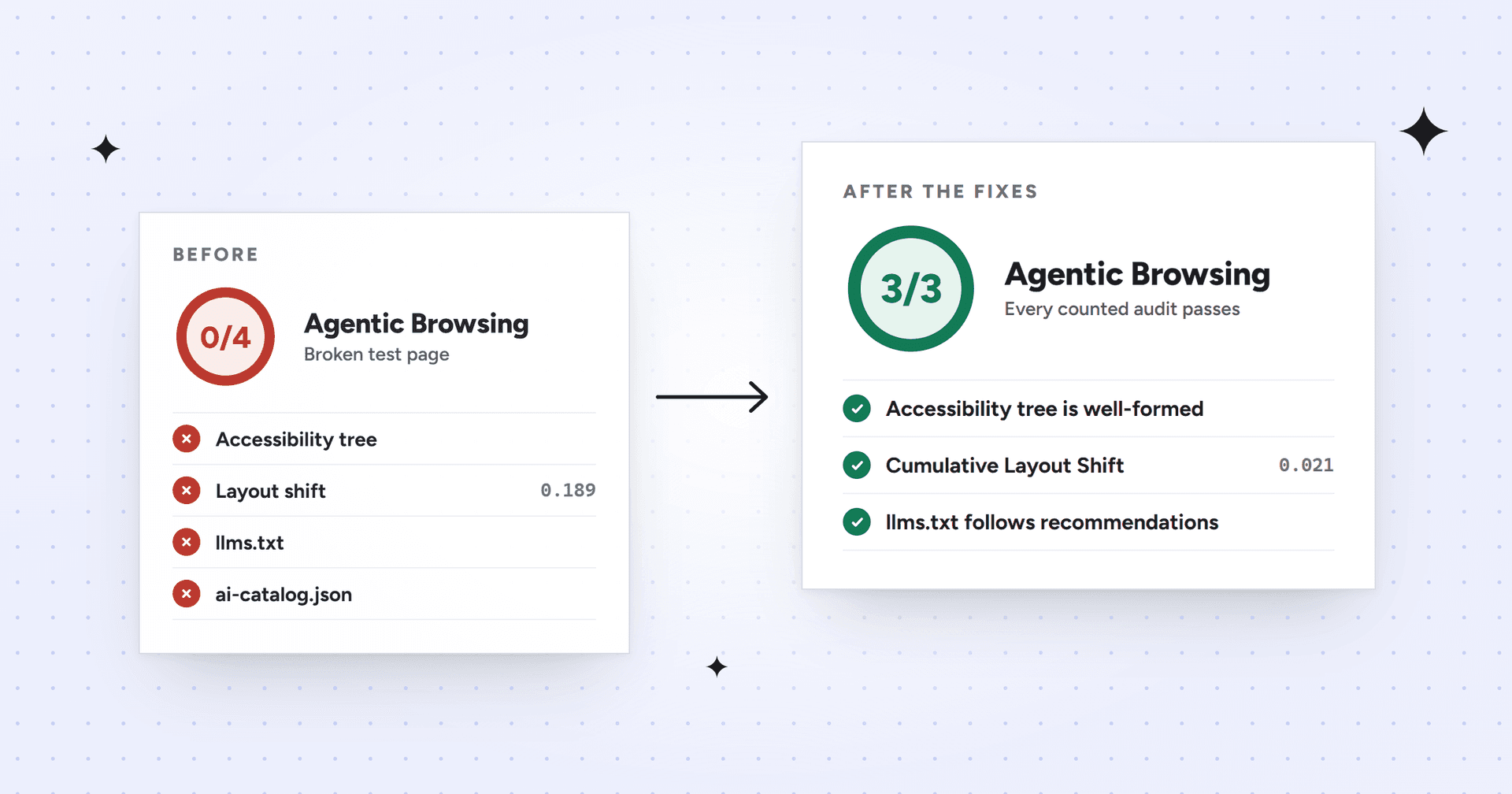
In a test we ran on October 13, 2026, these fixes took a mock B2B SaaS page from 0/4 to 3/3.
What counts toward the agentic browsing score
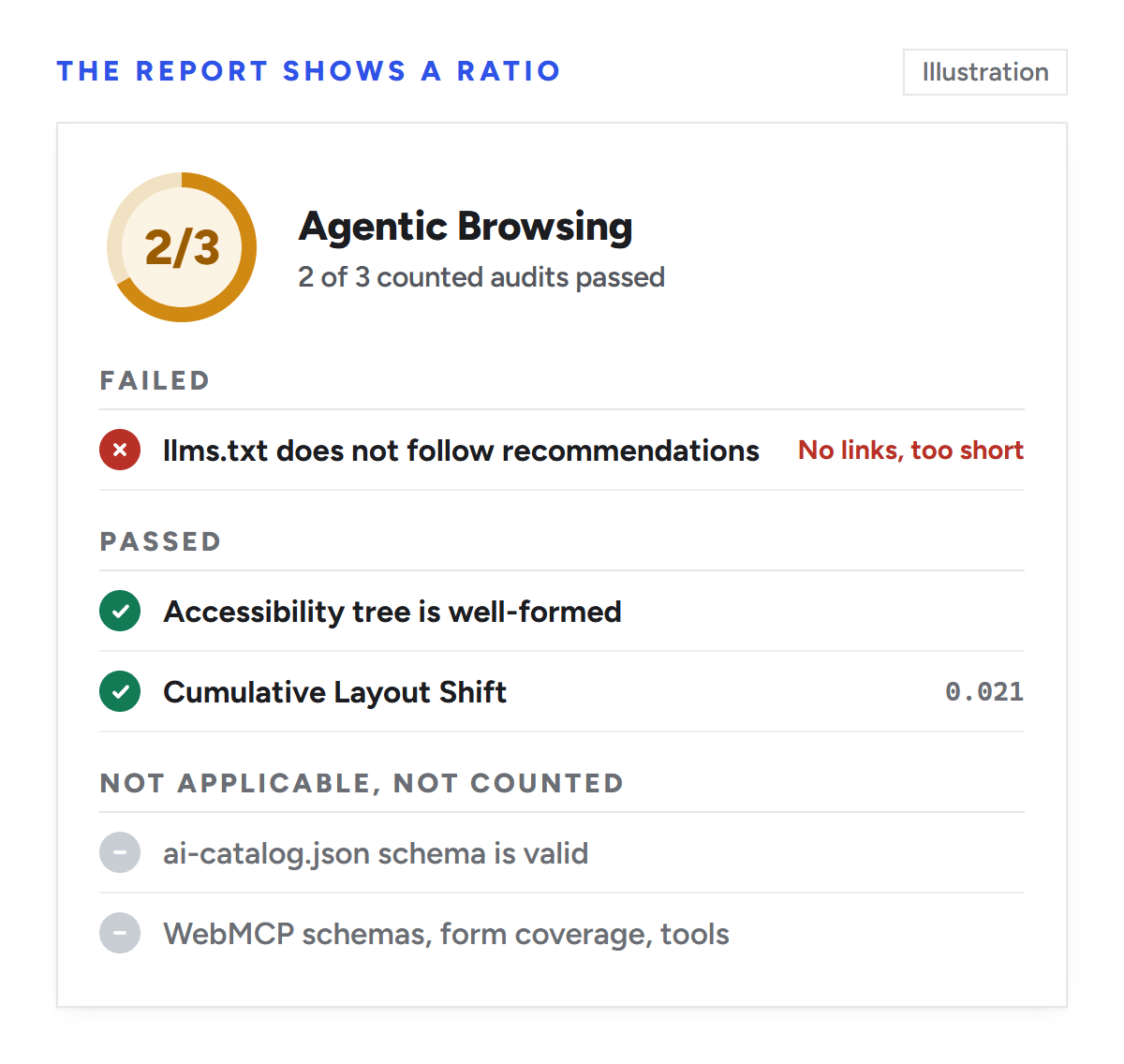
Lighthouse 13.5.0, the current CLI release, has seven audits in the category. Release notes place version 13.4.1, which lacks the ai-catalog.json check, in DevTools from Chrome 152, and 13.5.0 from Chrome 156. The report divides passed by counted audits, leaving out not applicable and informative ones. With a pass mark of 0.9, one failure keeps the ratio out of the green.
We built a mock B2B SaaS landing page, served it locally and ran the Lighthouse 13.5.0 CLI against eight versions on October 13, 2026 (headless Chromium 141, mobile settings). Repeat runs matched. Chromium 141 lacks WebMCP, so those three audits were not applicable.
Page version
Ratio
What decided it
Broken page; every URL returns the HTML app shell
0/4
Four axe rules failed, CLS was 0.189, and both discovery URLs returned HTML
Fixed page; /llms.txt returns 404
2/2
llms.txt and ai-catalog.json not applicable
Fixed page plus a spec-shaped llms.txt
3/3
All counted audits passed
Fixed page; one-line llms.txt
2/3
No links, under 50 characters
Fixed page; /llms.txt returns 500, redirects home or takes 3 seconds
2/3 each
Server error, HTML after the redirect, timeout
Fixed page with one unlabeled icon button
1/2
Accessibility category still scored 91
Without llms.txt, ai-catalog.json or WebMCP tools, a page has two counted audits and can show 2/2. Publishing llms.txt adds a check you can fail; it can't fix one that's failing. The same banner measured CLS 0.189 with mobile settings and 0.112 with the desktop preset, so test both.
Test the homepage, pricing, demo-request and one docs page in mobile and --preset=desktop runs. Expected result: a ratio and failing audits per template.
Illustration: the result is passed audits over counted audits, here 2/3. Not applicable audits are left out of the count.
2. Clear every failing accessibility rule, not only the element shown
The accessibility tree audit fails if any of these 33 axe-core rules fails on the page: button-name, input-button-name, input-image-alt, label, link-name, select-name, document-title, aria-allowed-attr, aria-allowed-role, aria-command-name, aria-conditional-attr, aria-dialog-name, aria-hidden-body, aria-hidden-focus, aria-input-field-name, aria-prohibited-attr, aria-required-attr, aria-required-children, aria-required-parent, aria-roles, aria-text, aria-toggle-field-name, aria-tooltip-name, aria-treeitem-name, aria-valid-attr, aria-valid-attr-value, duplicate-id-aria, definition-list, table-duplicate-name, tabindex, autocomplete-valid, presentation-role-conflict and svg-img-alt.
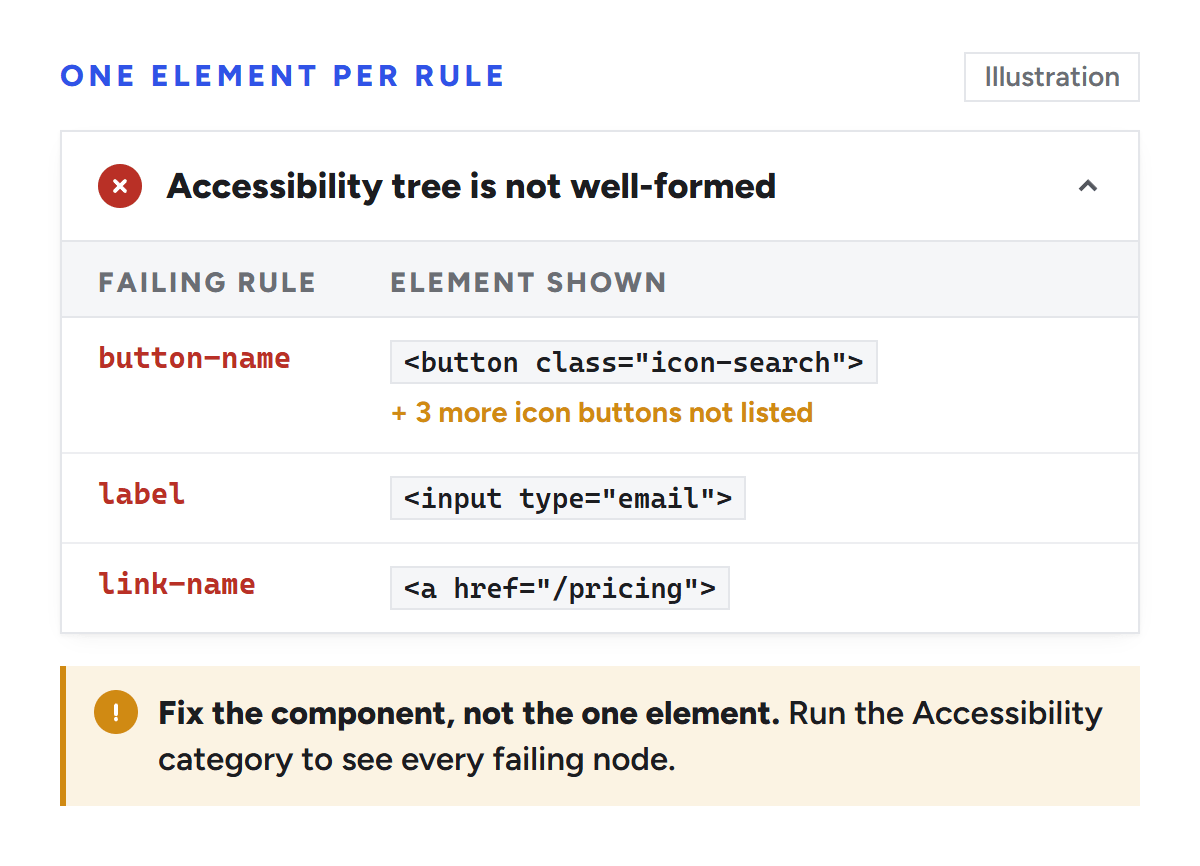
Agents read the accessibility tree, so a missing name blocks them as it blocks screen reader users. The agentic report shows only the first failing element per rule, so run the Accessibility category too, which lists every node. Fix components, not pages: aria-label on icon buttons, <label for> on fields, hidden text in icon links. Two rules, aria-allowed-role and table-duplicate-name, carry zero weight in the Accessibility score, so a page can score 100 there and still fail here.
Expected result: "Accessibility tree is well-formed" passes.
Illustration: the agentic report shows only the first failing element for each rule. The Accessibility category lists every node.
3. Bring CLS to 0.1 or lower on every tested template
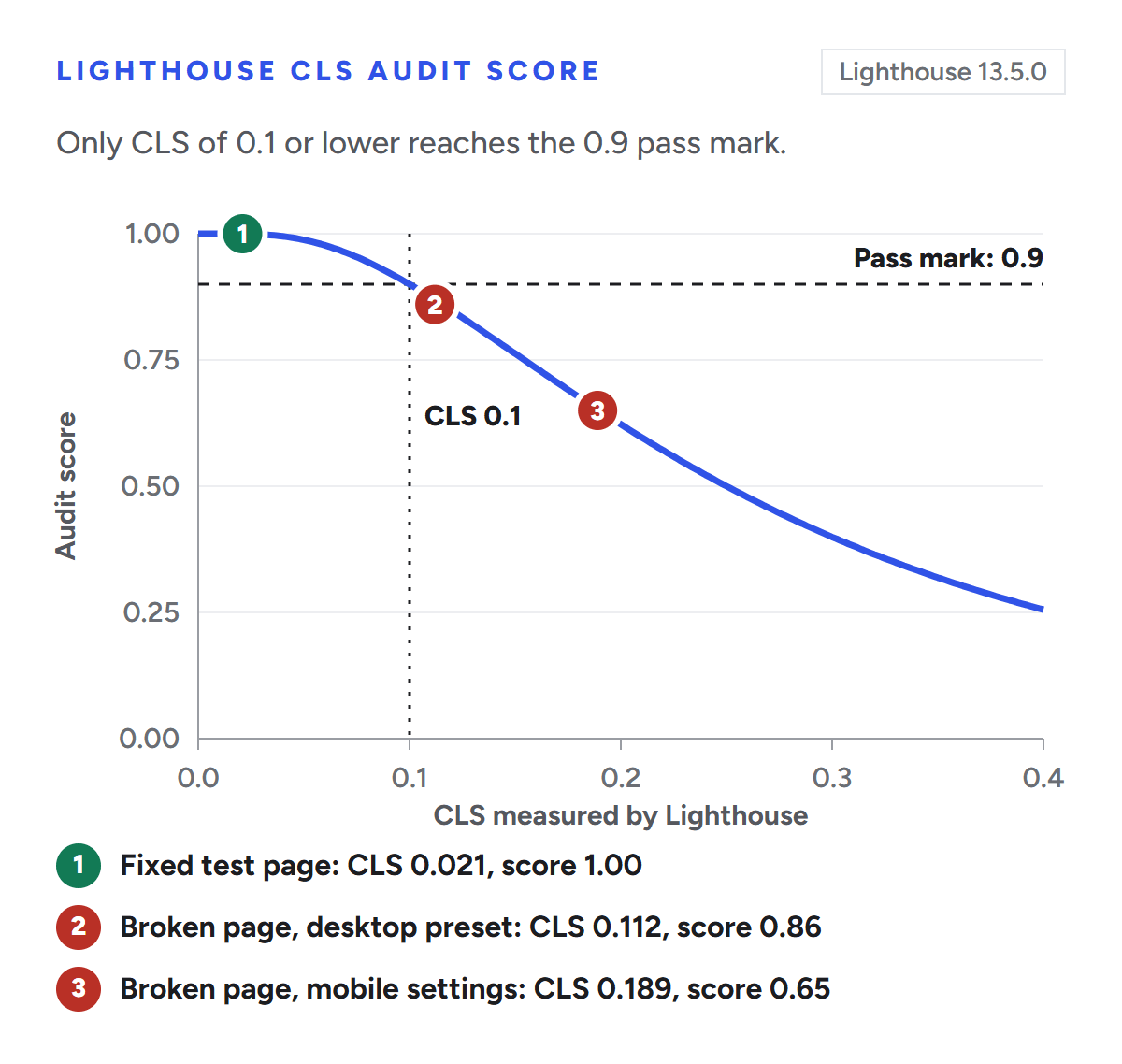
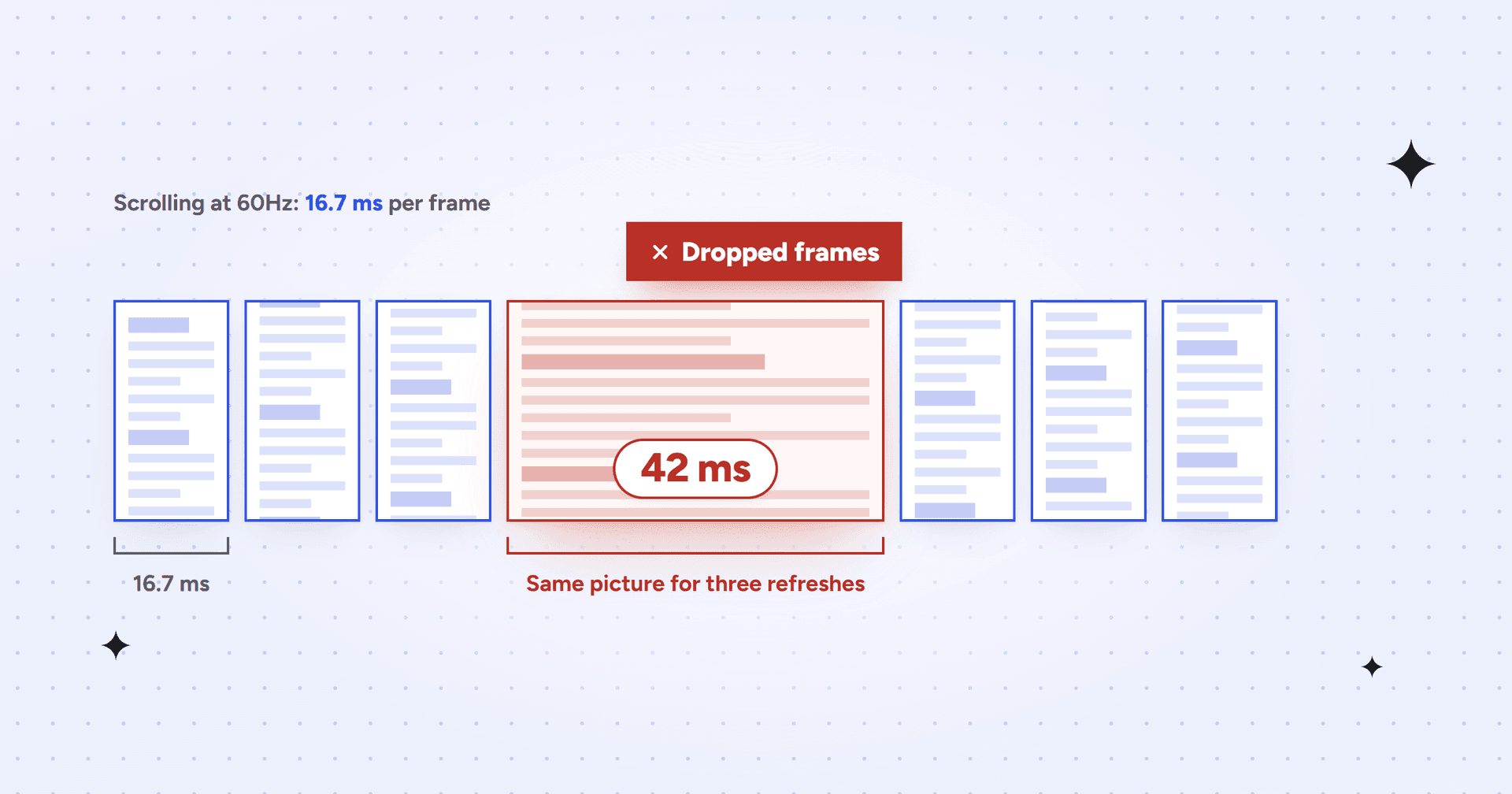
Lighthouse scores CLS on a curve where 0.1 maps to 0.9. Running Lighthouse's own scoring function, CLS 0.05 scores 0.99, 0.12 scores 0.84 and 0.189 scores 0.65, so anything above 0.1 fails here.
CLS audit score by CLS value, from Lighthouse 13.5.0's scoring function. Only 0.1 or lower reaches the 0.9 pass mark.
Set width and height on images, reserve space for banners, consent bars and chat launchers, and don't insert content above what has rendered. In our test, image dimensions and a reserved 70-pixel banner slot cut CLS from 0.189 to 0.021. Lighthouse sees only load-time shifts, while field CLS covers the whole visit, so check Core Web Vitals data too.
Mission SEO fixes LCP, INP and CLS at the template level and ships the biggest fixes in weeks 3 to 6 of an engagement. Expected result: CLS passes in both form factors.
4. Make /llms.txt and ai-catalog.json return a real file or a real 404
Lighthouse fetches /llms.txt from the tested origin's root and, in our test, followed redirects. A 4xx is not applicable; any other response must meet the table's rules, including the 2-second limit. Check both URLs:
If either returns 200 with your app shell, make unknown paths return 404. If you publish llms.txt, this file passes and follows the llms.txt proposal:
# Example SaaS
> Example SaaS is revenue analytics software for B2B finance teams.

## Product
- [Pricing](https://www.example.com/pricing): plans and what each tier includes
- [Security](https://www.example.com/security): SOC 2 report and data handling

## Docs
- [API reference](https://docs.example.com/api): endpoints and authentication
Search ignores llms.txt, so publish it for agents, not rankings, and add one per origin you test, such as a docs subdomain.
The ai-catalog.json check, new in 13.5.0, validates manifests from the Agentic Resource Discovery proposal, which has since moved to /.well-known/ard.json (v0.91, August 26, 2026). Unless you publish MCP servers or agents, return 404. Expected result: llms.txt passes or is not applicable; ai-catalog.json is not applicable.
5. Add WebMCP to the forms agents should complete
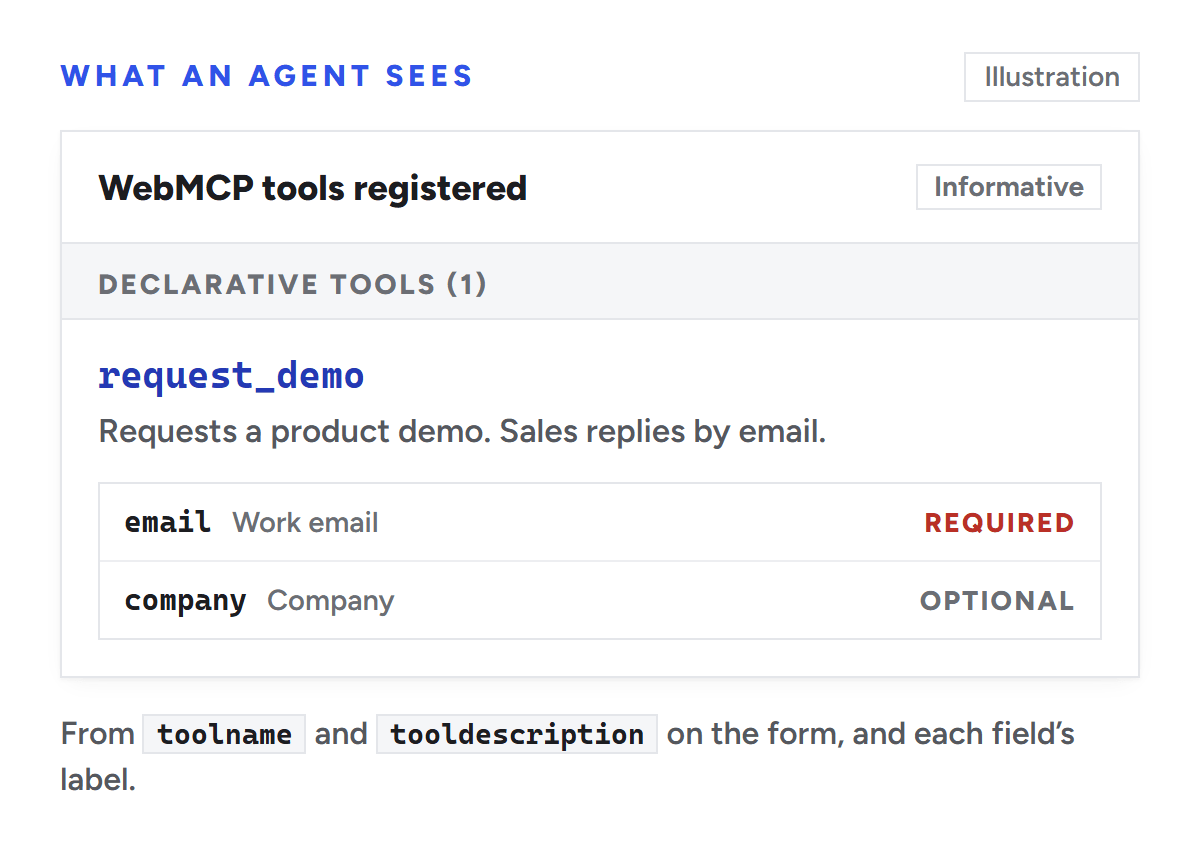
WebMCP audits stay not applicable until the testing browser exposes WebMCP, through the origin trial or the flag. Then annotate one form with the Declarative API:
Schema validity fails on errors (a toolname without a tooldescription, or a required field without a name) and on warnings (a field with no label or toolparamdescription), which score 0.5. Keep each page under 40 tools, and add allow="tools" if the form sits in a cross-origin iframe, such as an embedded scheduler. Expected result: "WebMCP schemas are valid" passes.
Illustration: a form with toolname and tooldescription is listed as a declarative tool, with its fields as parameters.
6. Gate releases on the pass ratio, not the JSON score
The JSON field categories['agentic-browsing'].score is a weighted average of audit scores. A page that passes the accessibility check with CLS at 0.15 gets (1 + 0.76) / 2 = 0.88 there, while the report shows 1/2. This script counts like the report and fails the build on any counted failure:
// agentic-check.mjs. Usage: node agentic-check.mjs report.json
import fs from 'node:fs';
const lhr = JSON.parse(fs.readFileSync(process.argv[2], 'utf8'));
const cat = lhr.categories['agentic-browsing'];
let passed = 0, counted = 0;
for (const ref of cat.auditRefs) {
  const a = lhr.audits[ref.id];
  if (['notApplicable', 'informative', 'manual'].includes(a.scoreDisplayMode)) continue;
  counted++;
  if (a.score >= 0.9) passed++;
  else console.log(`FAIL ${ref.id} (score ${a.score})`);
}
console.log(`Agentic Browsing: ${passed}/${counted}`);
process.exit(passed === counted ? 0 : 1);
Expected result: any counted failure fails the pipeline.
Common mistakes and how to fix them
Mistake
Result
Fix
Fixing only the element the report lists
The rule still fails elsewhere
Clear every node the Accessibility category lists
Returning 200 for unknown URLs
llms.txt and ai-catalog.json fail
Return 404 for missing paths
Publishing a one-line llms.txt
Fails on links and length
Add a summary and links, or remove it
Adding WebMCP to raise the ratio
Adds checks without fixing failing ones
Add tools where agents should act
Gating CI on the JSON category score
Failures pass the gate
Gate on passed over counted
Next steps
Baseline four templates in both form factors this week.
File one ticket per failing rule and component, and one per template with CLS above 0.1.
Publish an llms.txt that passes, or return 404.
Add WebMCP to one form agents should complete, and test with the flag on.
Add agentic-check.mjs to CI.
A full ratio doesn't show whether ChatGPT, Gemini or Claude recommend your product; Mission SEO tracks that weekly in its SEO for B2B SaaS program.
You can do every step yourself. To hand it off, Mission SEO's technical SEO service delivers audit findings in about two weeks for most B2B sites, fixes what it can in WordPress, Webflow, Contentful or Framer, writes developer tickets for the rest and monitors releases for indexing and speed breaks.
Sources and date checked: Chrome for Developers documentation, Lighthouse release notes and Lighthouse 13.5.0 source code, checked October 13, 2026. Test results come from a mock page in a sandbox; your numbers will differ. Google labels the category experimental.
Frequently asked questions
Does the agentic browsing score affect Google rankings?
Google hasn't said the agentic browsing score affects rankings, and Lighthouse is a diagnostic tool, not a ranking system. Google's guide to generative AI features says Search needs no AI text files or special markup and ignores llms.txt. Treat the score as a readiness check for browser agents.
Can I see the agentic browsing score in PageSpeed Insights?
The Lighthouse 13.4.1 release notes say it enabled the Agentic Browsing category through the PageSpeed Insights API in Lighthouse Viewer, and each release is expected to reach PageSpeed Insights within two weeks. For WebMCP results, test locally, where you control browser flags.
Do I need Chrome Canary to run the agentic browsing audit?
No. Chrome 150, the first version with the category in DevTools, reached stable on June 30, 2026. The Lighthouse CLI bundles its own audit code, so it runs the category with older Chrome too; our test used Chromium 141. Only the WebMCP audits need a WebMCP-enabled browser.
Why does my agentic browsing score change between runs?
Results change when the page does. Late banners move CLS, WebMCP tools registered by JavaScript can miss Lighthouse's capture, and DOM changes alter the accessibility tree. A slow llms.txt fails after 2 seconds, and mobile and desktop settings measure CLS differently.
We’re a B2B SEO and AEO agency. Book a free 30-minute call with a senior consultant: we look at your site before we talk, so you leave knowing what to fix first.

 best project management software